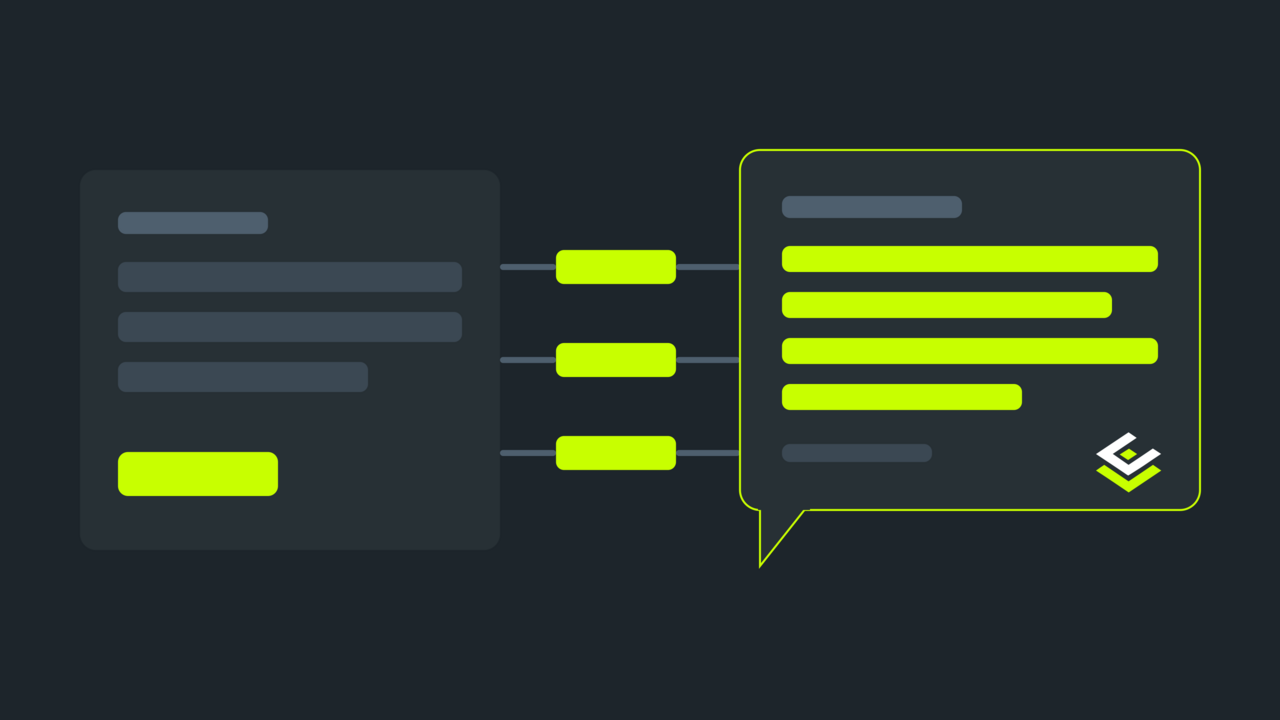
Buyers increasingly do not open a search engine — they ask an assistant: «find me ground coffee under twenty euros that ships this week». The assistant does not read your site with eyes; it reads what the store tells machines about itself. A store that says nothing hands the answer to a competitor that does.
Below: what that visibility is made of technically — the llms.txt file, an MCP endpoint and category feeds, three AI visibility modules that work together. And plainly: this is not traffic magic, it is what robots.txt once was — a cheap layer that either exists or does not.
Why sitemap.xml is not enough here
sitemap.xml answers «which URLs exist». For an agent that is too little: it does not want to crawl ten thousand pages to learn whether you sell coffee. It needs a curated description — what this store is, what matters in it, and where to ask for structured data.
| Format | The question it answers | Who for |
|---|---|---|
robots.txt | what may be crawled | search crawlers |
sitemap.xml | which URLs exist | search crawlers |
llms.txt | what this site is and what matters in it | AI agents |
| MCP endpoint | give me data by request, not as a page | AI agents |
llms.txt: the store's calling card for machines
llms.txt is a markdown file at the site root (the llmstxt.org standard): the name, a short explanation of what you sell, links to the main categories and the pages that matter. Not a catalogue dump — a curated layer an agent reads whole in a second.
In CommerCentr it is generated automatically and for free: the base part of the llms.txt plugin assembles the file from the store's current state — name, description, top categories, curated faceted pages, legal pages — and rebuilds it daily on a schedule. If the store is multilingual, language copies sit beside it and the root becomes an index.
The file is served as a static asset: no PHP on a public request, so it adds no load.
MCP: when the agent needs an answer, not a page
Reading text is half the job. The other half: the agent has to query the catalogue — find a product, check price and availability, get the list of categories. That is what MCP (Model Context Protocol) is for — the way assistants work with external data.
In CommerCentr a store has a built-in read-only MCP endpoint at /mcp/catalog with tools for product search, fetching a card by slug, and listing categories. Read-only is deliberate: the agent may look, but it cannot change anything in the store.
The link to that endpoint sits right inside llms.txt, so an agent finds it immediately after the first read.
What exactly an agent can ask
It helps to know the boundary, because expectations follow from it. The read-only MCP catalogue gives an agent three tools.
Product search — over the name and short description, with a result limit. This is what the agent answers «find me ground coffee» with: it does not page through categories, it asks directly.
A product card by slug — the full data of one item: name, description, price, availability. The agent comes here after a search, when it needs to tell the buyer something specific.
A category list — as a flat structure. This is orientation: the agent learns what the store sells in general, and whether it makes sense to look here at all.
What is not in that list and will not be: creating an order, changing prices, reaching customer data. The endpoint is read-only not because it is unfinished, but because writes from an external agent are a different class of risk — they need authentication, not public access.
What to do if the store is multilingual
Language versions are a question of their own, because the agent has to get the description in the language the buyer is asking in.
With two or more active languages, the root /llms.txt becomes an index: a short file listing the language copies. The copies themselves carry the description, categories and faceted pages in that specific language — with the URLs that actually work in that locale, prefix included.
That matters to an agent specifically: it should not have to guess that the other language version of a category lives at a different address. The index says so directly, and the agent then reads the copy it needs.
One detail worth checking after setup: the language copies live in real directories inside the webroot. If your web server configuration is unusual, make sure a language copy is served as a file rather than swallowed by the application's routing.
What the paid tier adds
The base part covers visibility as such. The llms.txt Pro extension adds two things for stores that are serious about AI traffic.
Per-category feeds. In the base file a category is a link to the storefront, and the agent has to extract products from HTML. A feed hands it a ready list: name, price, an out-of-stock marker, URL, short description. One file per category, linked from the main llms.txt.
A request log. It shows which AI clients work with your catalogue and what they look for: tool, client, request count, last query. It is the only way to learn whether AI traffic arrives at all, and after what.
One honest note, because it shapes expectations: the log counts MCP requests, not downloads of llms.txt. That file is served by the web server directly, bypassing the application, and counting its downloads is impossible without changing how it is delivered. The value is not there anyway: llms.txt is the calling card, and the agent's actual work with the catalogue happens over MCP.
How to check everything is in place
- Open
https://your-store/llms.txt— it should be served and contain the store name, the description and the list of categories. - Check there is a line linking to
/mcp/catalog. - If the store is multilingual, open a language copy and confirm it exists too.
- With Pro enabled, open any feed from the
## Category feedslist and see whether prices and availability match the storefront. - After a week, look into the «AI agents» tab in the plugin settings.
How to read the request log
With Pro enabled, rows appear in the «AI agents» tab. Here is what they tell you.
Client — a normalised name from the User-Agent: ChatGPT-User, ClaudeBot, PerplexityBot. The version is deliberately dropped, otherwise one agent would scatter into dozens of rows every time it updates.
Tool — what was actually called. catalog.search dominates when agents look for a product by description; catalog.get_product when they have found it and are checking details; catalog.list_categories when they are getting their bearings for the first time.
Last query — the most valuable column. These are literally the words machines look for you with, and they often differ from what you write in your own descriptions. If agents search for «decaffeinated coffee» while your catalogue says «decaf» everywhere, that is not an AI problem, it is a hint for your product cards.
An empty log after a week is information too: either assistants have not indexed the store yet, or llms.txt is being served with an error. The second takes a minute to check — just open the file in a browser.
What this does not do
To keep expectations honest, here is the boundary.
llms.txt does not guarantee that an assistant will recommend your product — it makes the store machine-readable, and the choice stays with the model and with how well your offer matches the request. It is a condition of entry, not a win.
The file also does not replace either sitemap.xml or structured product markup: search engines read their own formats, and none of that is cancelled.
And separately: if your product descriptions are empty and there are no prices in the markup, AI visibility does not start with llms.txt. First the product data, then the channels that read it.
Summary
Visibility to AI agents is made of three layers: llms.txt as a curated calling card, MCP as the way to query data, and category feeds as a ready product list. The first two work for free in CommerCentr; the third and the request log are in llms.txt Pro.
A practical order if you are starting from nothing: first make sure products have names, prices and short descriptions — without those, any channel will carry emptiness. Then check that llms.txt is served and contains your categories. Only then look at the request log: it answers not «does this work technically» but «is anyone looking for you yet». The first is visible in a minute, the second after a week or two of watching.
See also how Nova Poshta shipping works — a product has to be delivered as well as found — and catalogue SEO, because classic search has not gone anywhere.